


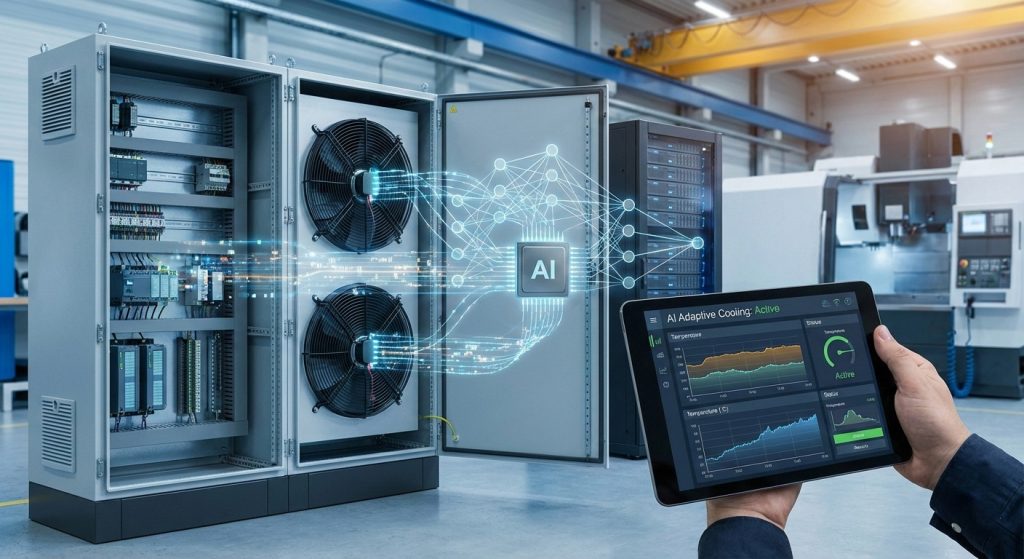
Local small business owners, IT professionals managing edge setups, gamers running always-on rigs, and cryptocurrency beginners trying to keep wallets and nodes stable all run into the same quiet problem: overheating in industrial PCs. When heat builds up, performance drops, random reboots appear, and parts wear out faster, turning everyday workloads into hardware reliability challenges that are hard to explain and even harder to budget for. That’s why thermal management importance matters in harsh, dusty, and high-uptime environments; industrial computer cooling isn’t a luxury, it’s protection for uptime and predictable operation. The payoff is simple: steadier performance and fewer surprises.
Understanding Heat and Throttling in Industrial PCs
Heat is a normal byproduct of electronics doing work. The CPU, power regulators, and storage turn electricity into processing plus waste heat, and that heat must move out through metal, airflow, or a cooling loop. When heat gets trapped in a tight enclosure or dusty cabinet, the system protects itself by slowing down, which is CPU throttling.
This matters because “slow” is not just annoying. It can delay POS checkouts, disrupt edge analytics, and make remote troubleshooting harder because failures look random. Over months of running hot, components age faster, so cooling becomes a reliability decision, not a comfort feature.
Think of a back-office mini server running dashboards and backups in a closed shelf. On busy days, the workload spikes, temperatures climb, and performance drops right when you need it. Growing investment in the industrial cooling systems market size shows how common this problem is.
With that foundation, a quick table makes it easier to choose the right cooling approach.
Cooling Options Compared at a Glance
To choose smart cooling, you do not need to be a thermal engineer. You just need a quick way to match cooling style to your environment, uptime needs, and maintenance tolerance, especially if your industrial PC supports operations, analytics, or customer-facing workflows.
| Option | Benefit | Best For | Consideration |
| Fanless cooling design | No moving parts, low noise, fewer dust failures | Dusty cabinets, vibration-prone installs, always-on kiosks | Needs good thermal path and mounting surface |
| Advanced heat sink technology | Efficient passive heat spreading, simple to service | Moderate loads, space-limited enclosures, retrofits | Performance depends on fin orientation and airflow |
| Airflow-based cooling (fans, ducting, filters) | Strong heat removal for higher power components | Hot rooms, bursty workloads, tight thermal budgets | Filters and fans need regular inspection and cleaning |
| Liquid cooling methods | Handles sustained high load with stable temperatures | High-TDP CPUs or GPUs, dense edge servers | Can deliver 15-30°C lower temps but adds complexity |
A practical rule is to prioritize passive approaches when access is limited, and to choose active airflow or liquid when performance must stay consistent under heavy load. Start with what you can maintain reliably, then size up only if throttling still shows up. Knowing which option fits best makes your next move clear.
Choose a Cooling Plan in 5 Checks (With a Rugged Panel PC Example)
A smart cooling plan doesn’t start with fans or heatsinks, it starts with a quick reality check of where the PC will live and how you’ll keep it healthy. Use these five checks to pick the right cooling style from your comparison table, then map it to a rugged panel PC setup.
- Check the environment first (heat, humidity, and “hot spots”): Write down your normal and worst-case conditions: ambient temperature range, nearby heat sources (motors, ovens, direct sun), and whether humidity or washdowns are part of the day. This tells you whether fanless/heat-sink designs are enough or whether airflow-based cooling is worth the extra moving parts. Action step: do a one-day “heat map” with a cheap thermometer, measure at startup, mid-shift, and peak load near the mounting location.
- Match cooling to the enclosure and mounting (where does the heat go?): A panel PC mounted flush in a tight cabinet can trap heat even if the CPU isn’t working hard. Leave a simple clearance rule: aim for 2–4 inches of breathing room around vents/heatsinks and avoid placing the hottest side against insulation or a solid metal plate with no airflow. If you must mount in a sealed box, favor fanless designs or plan for a filtered, ducted air path so you’re not recirculating warm air.
- Treat dust and airflow as a design choice, not a cleanup task: If your space has cardboard dust, sawdust, metal fines, or warehouse lint, your cooling approach should minimize what gets sucked inside. One practical option is choosing fanless cooling systems in dirty areas because they can reduce dust intake and the performance drop that comes with clogged filters. If you do use fans, add a filter you can swap in under two minutes, and set a reminder to inspect it weekly until you learn the real clog rate.
- Account for vibration and motion (it changes what “reliable cooling” means): Forklifts, carts, CNC machines, and vehicle mounts shake connectors loose and can shorten the life of spinning fans and hard drives. For mobile or high-vibration installs, lean toward fanless heat-sink cooling plus solid-state storage, then add airflow at the enclosure level only if temperatures demand it. Action step: use thread-locking where appropriate, strain-relieve cables, and pick mounting hardware rated for shock/vibration so cooling parts aren’t doing double duty as structural supports.
- Build a maintenance plan you can actually keep (then schedule it): Reliability comes from repeatable checks, not heroic troubleshooting. Create a tiny checklist: monthly visual inspection (dust mats, blocked vents), quarterly internal cleaning if applicable, and a quarterly review of temperature logs during peak workload. If you’re standardizing on a device family like a Tacton industrial panel PC, keep that checklist consistent across installs. If uptime matters, keep one spare filter set and one spare fan module on a shelf, small parts cause big downtime.
- Example mapping: configuring a rugged panel PC for warehouse or mobile use: Start with a shock- and vibration-tested panel PC and choose a fanless configuration if the location is dusty and the mount moves. Mount it with rear clearance, route cables with strain relief, and place it away from direct sun or heater exhaust; then add a sealed enclosure only if you truly need washdown protection. If your “Cooling Options Compared” table points you toward airflow-based cooling for higher sustained loads, implement it outside the PC using filtered cabinet airflow so you’re cooling the whole space without feeding dust into the device.
These checks keep your cooling decisions grounded in real-world conditions, so “overheating” becomes a predictable risk you can measure, prevent, and explain to your team.
Smart Cooling Questions People Ask Most
Got a few “what really matters?” questions? You’re not alone.
Q: What causes overheating most often in real industrial PC setups?
A: It’s usually the boring stuff: blocked vents, clogged filters, tight cabinets, or a heat source nearby. The fix is simple: restore airflow, create clearance, and log temps during your busiest hour. Overheating is not just a slower speed because downtime impacts production.
Q: Can I just add a bigger fan and call it “smart cooling”?
A: Not really. Smart cooling is control plus cleanliness: the right airflow path, the right fan curve, and filtration you actually maintain. Start by ensuring fans pull cool air in and push hot air out without recirculating.
Q: What does “sustained performance” actually mean for my business apps?
A: It means your PC can run peak workloads all shift without throttling, stuttering dashboards, or random resets. Validate it by running your heaviest workload for 60 to 90 minutes and watching CPU temperature and clock stability.
Q: When should I choose fanless cooling instead of fans?
A: Choose fanless when dust, fibers, vibration, or hard-to-service locations make moving parts a liability. It is often the lowest surprise option for edge installs where you want steady performance with minimal upkeep.
Q: Which maintenance checks prevent the most unpleasant surprises?
A: Keep it lightweight: quick visual checks, filter swaps, and a simple temperature log review. The stat that 16% of downtime is tied to operator error is a good reminder to document the routine so anyone can follow it.
A little thermal discipline today saves you from emergency fixes during your busiest week.
Extend Industrial PC Lifespan With Smarter Thermal Management Choices
Overheating is rarely a one-time glitch; it’s the slow pressure that turns reliable gear into random crashes, throttling, and surprise failures. The steady fix is a thermal management mindset: treat cooling as part of operations, not an afterthought. When heat stays under control, industrial hardware reliability improves, performance consistency becomes normal, and thermal management benefits show up as equipment lifespan extension and fewer urgent repairs. Better cooling today prevents downtime tomorrow. Audit your current setup this month and choose one cooling upgrade to implement, then track whether temperatures and stability improve. That small habit protects productivity now and gives your systems the resilience to support growth later.